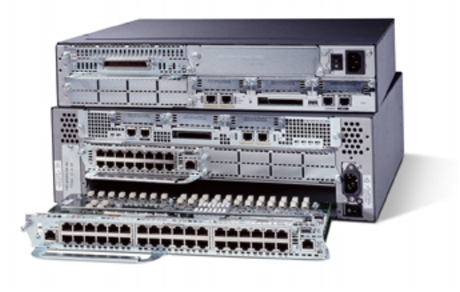




If your data center still runs on Cisco Nexus 3000 top-of-rack switches, you are not alone — these were among the most widely deployed 10G/40G ToR platforms of their era. But the platform is aging out of active support, and 25G/100G economics have moved beyond what a Nexus 3000 can deliver. This guide covers why teams upgrade, which Nexus 9000 model fits which role, what to watch during migration, and how to think about cost — including tested pre-owned options that keep budgets realistic.
Why Upgrade from the Nexus 3000
The Nexus 3000 family — including the N3K-C3016Q, N3K-C3064PQ, N3K-C3064TQ, N3K-C3172PQ, N3K-C3172TQ and N3K-C3548P — was designed around a 10G server / 40G uplink world. Most of these models have since passed their end-of-sale milestones, and end-of-support windows have closed or are closing depending on the model. That lifecycle status carries real operational risk:
- Support contraction. Nexus 3000 units run on legacy NX-OS release trains. New features, security fixes and hardware bug remediation are concentrated on current Nexus 9000 releases, while N3K coverage narrows to maintenance-only fixes — and eventually none.
- Performance ceiling. Nexus 3000 ToRs top out at 10G server ports and 40G uplinks, with no native 25G/100G density. Packet buffers and forwarding/ACL scale are limited by comparison, which shows up first as microburst drops and constrained policy headroom in modern east-west traffic patterns.
- Rising hidden costs. Keeping an EOL platform running means paying a premium for extended maintenance, sourcing increasingly scarce spare parts, and burning more watts per gigabit than current silicon requires.
To be fair: in low-bandwidth, non-critical environments, a well-maintained Nexus 3000 can still do its job. The upgrade question is really whether the platform still matches what your workloads and support posture demand. For production cores and modern leaf-spine fabrics, the answer is increasingly no.
What to Upgrade To: Nexus 9000
The Nexus 9000 line is the natural successor: higher port density, wire-rate 25G/100G forwarding, deeper shared buffers, MACsec on most current models, and — uniquely — a choice of operating modes. The same hardware can run in NX-OS standalone mode (a familiar CLI very close to what Nexus 3000 admins know) or in ACI mode under APIC controllers for policy-driven, automated fabrics. Most EX/FX-generation models support both modes; compact C92xx models run NX-OS only.
The following Nexus 9000 switches are in stock at LinkNewNet as tested pre-owned units:
- N9K-C93108TC-EX — 48 x 10GBASE-T copper ports plus 6 x 40/100G QSFP28 uplinks. The cleanest drop-in for copper-based N3K deployments.
- N9K-C93180YC-EX — 48 x 10/25G SFP28 plus 6 x 40/100G uplinks; the workhorse fiber leaf.
- N9K-C93180YC-FX — same port count on the higher-performance FX chipset, with more buffering for bursty or loss-sensitive workloads.
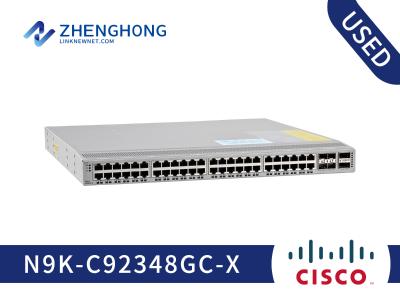
- N9K-C9348GC-X and N9K-C9348GC-FXP — 48 x 10GBASE-T plus 6 x 40/100G uplinks; the FXP variant adds MACsec and the FX chipset.
- N9K-C9332C — 32 x 100G QSFP28 in 1RU; compact spine or aggregation.
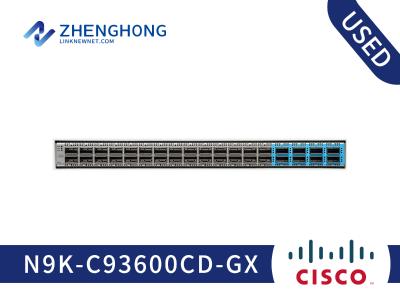
- N9K-C9364C and N9K-C9364C-GX — 64 x 100G QSFP28 in 2RU; the GX variant carries a deeper-buffer chipset for demanding spine roles.
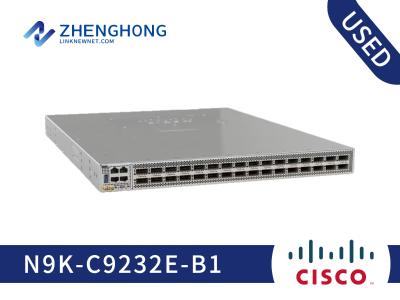
- N9K-C9232C and N9K-C9236C — 32 or 36 x 100G QSFP28, cost-effective NX-OS-only platforms.
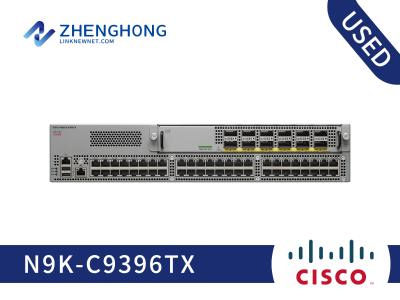
- N9K-C9372PX / N9K-C9372TX and N9K-C9396PX — 48-port 10G (SFP+ or BASE-T) platforms with 40G uplinks; a value-oriented stepping stone when 100G is not yet required.
Nexus 3000 vs. Nexus 9000 at a Glance
| Attribute | Nexus 3000 ToR (typical) | Nexus 9000 (EX/FX generation) |
|---|---|---|
| Server ports | 10G SFP+ or 10GBASE-T | 10/25G SFP28 or 10GBASE-T (100M/1G also supported, depending on model) |
| Uplinks | 4–6 x 40G QSFP+ | 6 x 40/100G QSFP28; dedicated 100G platforms up to 64 ports |
| Forwarding | Wire-rate at 10G/40G densities | Wire-rate across all ports at 25G/100G; aggregate throughput varies by model and configuration |
| Packet buffer | Shallow, fixed per-model | Deeper shared buffers; larger on FX/GX variants |
| Operating mode | NX-OS only | NX-OS standalone or ACI (on supported models) |
| Power / cooling | Fixed AC options; limited airflow flexibility | Hot-swappable AC/DC PSUs (650W–1200W depending on configuration); front-to-back or back-to-front airflow |
| Software lifecycle | Maintenance-only, winding down | Actively developed NX-OS release trains |
Is It a Drop-In Replacement?
In NX-OS mode, largely yes — a Nexus 9000 leaf can assume a Nexus 3000 ToR role without redesigning your architecture. The main things that change physically:
- Optics and DACs. Existing 40G QSFP+ optics typically carry over and run at 40G in QSFP28 uplink ports. DAC reuse depends on the port speed you plan to run; check the Cisco transceiver compatibility matrix per port type before assuming cables move over.
- Power and airflow. Confirm PSU wattage and airflow direction (port-side vs. power-side intake) match your rack and cold-aisle orientation.
- Form factor. Most EX/FX leaves are 1RU; some models (C9348GC, C9372, C9396 series) are 2RU — verify rack space and depth.
Choosing the Right Model
- Existing 1G/10G copper server connections, want 100G uplinks later → N9K-C93108TC-EX
- 10G/25G fiber servers as the primary workload → N9K-C93180YC-EX, or the FX variant if you need extra buffering
- 100G leaf-spine aggregation or spine tier → N9K-C9332C, N9K-C9364C, or the deep-buffer N9K-C9364C-GX
- Budget-conscious 100G without ACI plans → N9K-C9232C
- Not ready for 100G yet but want active support → N9K-C9372PX or N9K-C9396PX
Migration: What to Watch For
The good news: NX-OS configuration is highly portable between the two platforms. VLANs, interfaces, port-channels, vPC, OSPF and BGP largely carry over. The work is in the details:
- Config translation. Expect some command differences between N3K and N9K NX-OS releases. Review TCAM/region carving and QoS policies in particular — the hardware pipeline differs, so some hardware-specific profiles need rebuilding rather than pasting.
- Optic and DAC compatibility. This is the most common day-of-cutover surprise. Validate every transceiver and cable against the compatibility matrix for the target N9K model and port speed before the maintenance window.
- Airflow direction. Mismatched airflow (port-side vs. power-side intake relative to your cold aisle) causes thermal alarms and shortened hardware life. Order the matching fan/PSU orientation upfront.
- Power budget. Confirm rack PDU capacity and circuit sizing for the new PSUs (typically 650W or 1200W, depending on configuration).
- vPC cutovers. Migrate one vPC peer at a time, validate peer-link and keepalive paths, and avoid dual-active scenarios. Keep vPC domain and peer configuration consistent so port-channels reconverge cleanly.
- Licensing. Standard NX-OS Layer 2/3 features generally require no additional license on Nexus 9000; ACI deployments require APIC controllers and separate licensing.
- NX-OS version alignment. Run matched NX-OS versions on vPC peers; version mismatch is a frequent cause of vPC instability after upgrades.
Downtime and rollback: stage and fully configure the Nexus 9000 out-of-band before the window, label every cable, and keep the Nexus 3000 racked and unmodified until validation passes. A tested rollback path turns a risky cutover into a routine one.
Post-cutover verification checklist: firmware versions and transceiver inventory (show inventory), all interfaces up at expected speeds, vPC peer status and consistency check, routing adjacencies (OSPF neighbors / BGP sessions), MTU end-to-end, management reachability and monitoring restored. Then run a real traffic test before closing the window.
Cost & Buying Options
There are three realistic paths, and the right one depends on budget, timeline and how long you expect to keep the platform:
| Option | Upfront Cost | Availability | Risk / Trade-off |
|---|---|---|---|
| Extend Nexus 3000 maintenance | Lowest | Immediate | Rising maintenance premiums, scarce spares, no new software features — a stopgap, not a plan |
| Brand-new Nexus 9000 | Highest | Vendor lead times | Full warranty and latest hardware, at list pricing |
| Tested pre-owned Nexus 9000 (LinkNewNet) | Typically a fraction of new pricing | In stock, ships fast | Same production hardware, professionally tested, with warranty coverage |
From a TCO perspective, the newer platform usually comes out ahead even before purchase price is considered. Current Nexus 9000 ASICs deliver far more performance per watt than the older Nexus 3000 silicon, and consolidating port counts into fewer, denser switches reduces rack space, cabling and power feed. Over several years, those power and cooling savings meaningfully offset hardware cost.
Tested pre-owned gear is where the savings are largest. Every LinkNewNet unit is inspected, functionally tested and burn-in verified before it ships, graded for cosmetic condition, and backed by warranty coverage — production-grade reliability at a price that frees up budget for optics, DACs and spares. Because stock is on hand, lead times are measured in days rather than vendor quarters, which matters when an EOL platform fails and you need a replacement fast.
Plan Your Upgrade
Every upgrade is slightly different — port counts, optics inventory, airflow orientation and NX-OS versions all shape the bill of materials. Before you buy, map what you actually have: N3K models and quantities, uplink speeds in use, transceiver and DAC inventory, and rack power/cooling constraints.
LinkNewNet can help with the rest: current stock availability across the Nexus 9000 models above, configuration matching your existing setup, competitive pricing on tested pre-owned units, and fast delivery to meet your maintenance window. Reach out to LinkNewNet for a quote or to check availability — and get an upgrade plan built around your actual environment, not a generic price list.